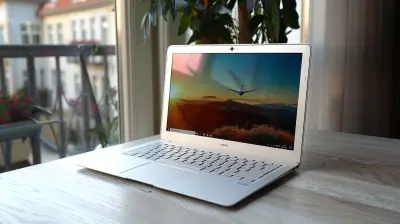
The Best Ultrabooks for Multitasking and Productivity
10 March 2026
Staying productive in today’s fast-paced world means having the right tools at your disposal. And when it comes to getting things done efficiently, an Ultrabook can be a game-changer. These sleek, lightweight, and powerful laptops are designed to handle multiple tasks simultaneously without breaking a sweat.
But with so many options on the market, how do you pick the perfect one? Don't worry—we’ve got you covered! Whether you're juggling spreadsheets, editing videos, or running dozens of browser tabs, this guide will walk you through the best Ultrabooks for multitasking and productivity.
So, grab a coffee, and let’s dive into the world of powerful yet portable machines! 
🏆 What Makes an Ultrabook Great for Multitasking?
Before we jump into our top picks, let’s first break down what makes an Ultrabook ideal for productivity.
1. A Fast and Powerful Processor
A good Ultrabook needs to keep up with your workload! A high-speed processor, like an Intel Core i7 or AMD Ryzen 7, ensures smooth multitasking—even when running demanding applications.2. Plenty of RAM
Think of RAM as your desk space. The more you have, the more tasks you can handle at once. 16GB RAM is ideal, but if you’re a heavy-duty user (video editing, programming, or 3D modeling), 32GB is even better!3. Lightning-Fast Storage (SSD)
No one likes waiting for their laptop to boot up or load files. An NVMe SSD significantly improves speed and responsiveness, keeping everything snappy.4. A Crisp and Spacious Display
Productivity demands good screen real estate. A 13" to 16" display with 1080p or higher resolution ensures you can comfortably work on multiple windows side by side.5. Long Battery Life
A laptop is only as good as its battery life. 8+ hours is the sweet spot for working throughout the day without scrambling for a charger.6. A Comfortable Keyboard and Trackpad
What’s the point of a powerful machine if typing on it feels like a chore? A great keyboard and a smooth trackpad make long work sessions more enjoyable.
💻 The Best Ultrabooks for Multitasking and Productivity
1️⃣ Dell XPS 15 (2024) – Best All-Around Ultrabook
> 💡 Why It’s Great: Powerhouse performance in a sleek, premium design.The Dell XPS 15 continues to dominate the Ultrabook market, and for good reason. Packed with the latest Intel Core i7/i9 processors, RTX 4050 GPU, and 16GB or 32GB of RAM, this laptop can handle multitasking like a boss.
✅ Pros:
✔️ Stunning 15.6-inch 3.5K OLED display
✔️ High-performance hardware for professionals
✔️ Excellent keyboard and trackpad
❌ Cons:
❌ Pricey, but worth it
❌ Slightly heavier than ultraportable options
If you're looking for raw power in a beautiful package, this is a dream machine.
2️⃣ Apple MacBook Air M2 – Best Battery Life
> 💡 Why It’s Great: Sleek, lightweight, and lasts ALL DAY.The MacBook Air M2 isn’t just pretty; it’s powerful, too. The new M2 chip delivers blazing-fast performance while sipping battery like it’s on a diet. With up to 18 hours of battery life, you can work from dawn till dusk without plugging in.
✅ Pros:
✔️ Ultra-portable and lightweight
✔️ Amazing battery life
✔️ M2 chip handles multitasking with ease
❌ Cons:
❌ Limited ports (you’ll need adapters)
❌ Not ideal for heavy gaming
For macOS lovers, this is the ultimate balance of power and portability.
3️⃣ Lenovo ThinkPad X1 Carbon Gen 11 – Best for Business Users
> 💡 Why It’s Great: Built to last with business-class features.The ThinkPad X1 Carbon is the go-to choice for professionals. With a Core i7 processor, 16GB RAM, and fast SSD, this 14-inch workhorse is designed for seamless multitasking. Plus, that legendary ThinkPad keyboard? Simply amazing.
✅ Pros:
✔️ Ultra-durable chassis
✔️ Superior keyboard for long typing sessions
✔️ Privacy features (fingerprint scanner, webcam shutter)
❌ Cons:
❌ Average battery life compared to rivals
❌ No dedicated GPU
If your work involves spreadsheets, emails, and presentations, this is the ideal business companion.
4️⃣ ASUS ZenBook 14 OLED – Best Display Quality
> 💡 Why It’s Great: Gorgeous OLED screen and powerful performance.The ASUS ZenBook 14 OLED delivers a stunning 2.8K OLED display, making everything pop with rich colors and deep blacks. If your work involves photo or video editing, this screen is a feast for the eyes.
✅ Pros:
✔️ Brilliant OLED display with 100% DCI-P3 color accuracy
✔️ Sleek and premium design
✔️ Fast Ryzen 7 processor
❌ Cons:
❌ Slightly shorter battery life (due to OLED panel)
❌ Speaker quality is average
For creators and creative professionals, this is an absolute gem.
5️⃣ HP Spectre x360 14 – Best 2-in-1 Option
> 💡 Why It’s Great: Flexibility meets performance.Need a laptop that transforms into a tablet? The HP Spectre x360 14 is the best 2-in-1 Ultrabook. With a bright 3:2 aspect ratio display, Intel Core i7, and a 360-degree hinge, it adapts to any workflow.
✅ Pros:
✔️ Versatile 2-in-1 design
✔️ High-resolution OLED touch display
✔️ Solid battery life and performance
❌ Cons:
❌ Slightly heavier than traditional Ultrabooks
❌ Stylus support is great, but not perfect
For those who love versatility and touchscreen convenience, this is a fantastic pick. 
🏁 Final Thoughts: Which One’s For You?
So, which Ultrabook should you go for?✅ If you want sheer power, go for the Dell XPS 15.
✅ If battery life is your priority, the MacBook Air M2 is unbeatable.
✅ For business professionals, the ThinkPad X1 Carbon is a rock-solid choice.
✅ If display quality matters most, the ASUS ZenBook 14 OLED is unbeatable.
✅ For a 2-in-1 experience, the HP Spectre x360 14 is where it’s at.
No matter which one you choose, these top-tier Ultrabooks will keep up with your multitasking needs and maximize productivity without slowing you down.
So, go ahead—upgrade your work setup and start smashing those productivity goals!
all images in this post were generated using AI tools
Category:
UltrabooksAuthor:

John Peterson
Discussion
rate this article
2 comments
Carly Adkins
In realms of sleek design and power's embrace, Ultrabooks rise, a multitasker's grace. With nimble keys and vibrant screens ablaze, They weave our tasks through time's swift maze. Productivity blooms, as dreams take flight in digital space.
March 30, 2026 at 11:04 AM
John Peterson
Thank you for your poetic reflection! Ultrabooks truly elevate multitasking and productivity, merging sleek design with powerful performance.
Ranger Carr
Ultrabooks: where multitasking meets magic! Finally, a laptop powerful enough to handle my ten open tabs, a streaming cat video, and my existential crisis—all while looking fabulous. Productivity goals, achieved!
March 15, 2026 at 11:53 AM
John Peterson
Thanks for the enthusiastic comment! Ultrabooks truly blend power and style, making multitasking a breeze. Happy to hear you're achieving your productivity goals!