The Power of Personalized Productivity Apps in the Digital Era
15 July 2026
The digital era promised us freedom from drudgery. Instead, it delivered an endless cascade of notifications, a dozen different messaging platforms, and the quiet anxiety that we are somehow falling behind. We have more tools than ever to manage our time, yet many of us feel less in control of it. The problem is not a lack of productivity apps. The problem is that most productivity apps treat everyone the same. They assume a one-size-fits-all approach to how humans think, prioritize, and execute tasks. That assumption is fundamentally flawed.
Personalized productivity apps represent a genuine shift in how we approach getting things done. Instead of forcing you into a rigid system like Getting Things Done or the Pomodoro Technique, these tools adapt to your cognitive style, your energy patterns, and your specific workflows. They do not ask you to become a different person. They ask you to understand yourself better, and they mold themselves around that understanding.
The difference between a generic to-do list and a personalized productivity system is the difference between a one-size-fits-all suit and a bespoke garment. The generic suit might cover you, but it will pinch in the wrong places and hang awkwardly where it should fit perfectly. The bespoke system, however, moves with you. It accounts for your posture, your movements, and your proportions. In the digital era, where our attention is the most scarce resource we have, personalized productivity apps are not a luxury. They are a necessary adaptation.
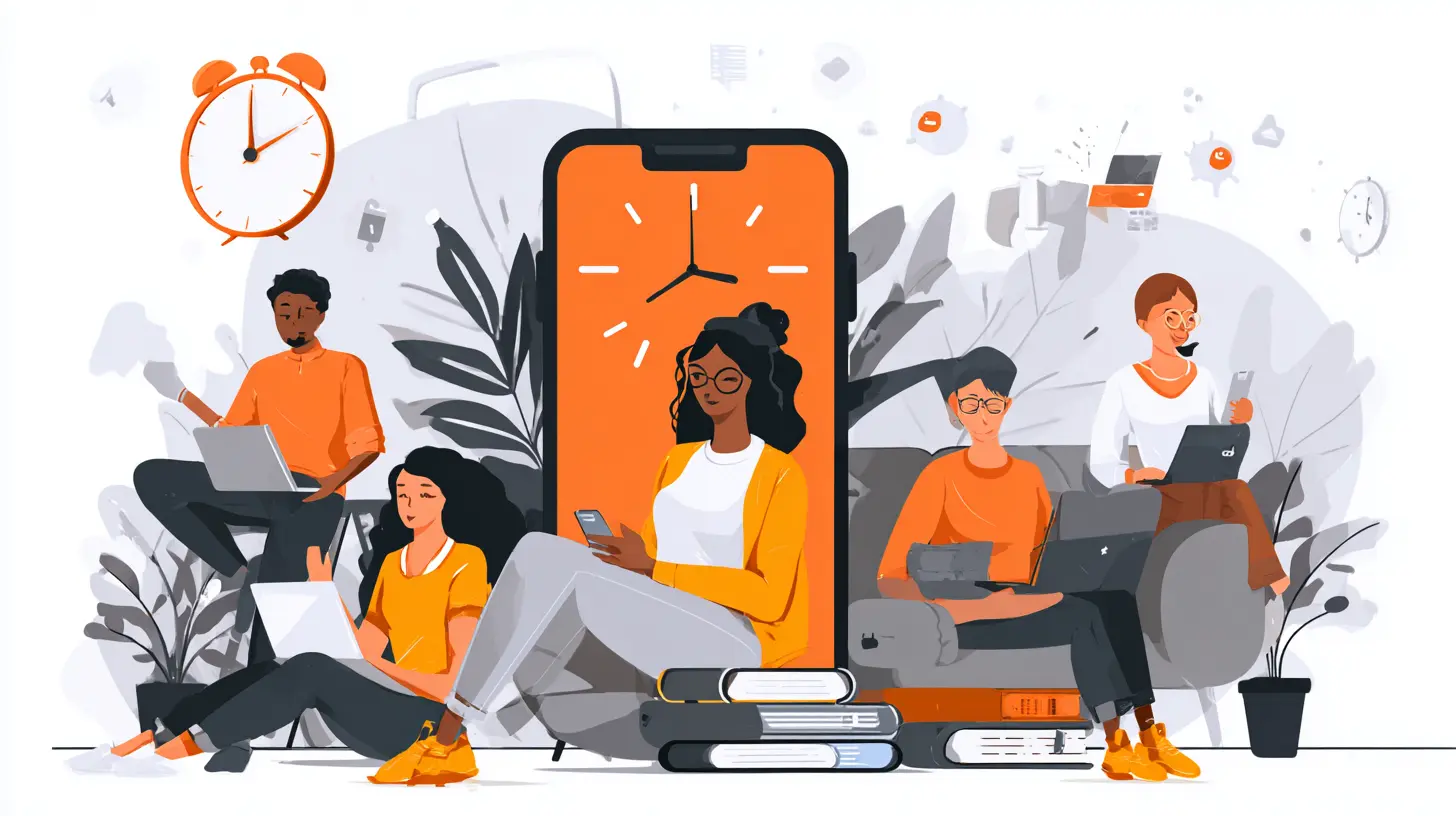
The Failure of Generic Productivity Systems
Before we can appreciate what personalization offers, we must first understand why generic systems fail so consistently. The market is flooded with apps that promise to transform your life. They come with pre-built templates, rigid categorization schemes, and a set of assumptions about how work should flow. The problem is that those assumptions rarely match reality.Consider the classic priority matrix, often called the Eisenhower Matrix. It divides tasks into four quadrants based on urgency and importance. On paper, it is elegant. In practice, it breaks down because urgency and importance are subjective and context-dependent. A task that feels urgent at 10 AM might feel irrelevant by 3 PM. A task that seems important on Monday might be eclipsed by a crisis on Tuesday. The matrix does not adapt to your shifting mental state or the unpredictable nature of real work.
Another common failure is the assumption that all tasks are created equal. Generic apps treat a five-minute email reply the same as a four-hour deep work session. They apply the same notification rules, the same reminder intervals, and the same completion checkboxes. This flattening of task complexity leads to a phenomenon I call "checkbox fatigue." You spend more energy managing the system than doing the actual work. You feel productive because you checked off twenty items, but the one item that truly mattered never got started.
The deeper issue is cognitive load. Every time you interact with a productivity tool, you are making a decision about how to categorize, prioritize, or schedule something. Generic systems add to this cognitive load by forcing you to translate your natural thinking into their rigid structure. If your brain works in associative clusters rather than linear lists, a standard to-do list app will feel like trying to write with your non-dominant hand. It is possible, but it costs far more energy than it should.

How Personalization Changes the Equation
Personalized productivity apps flip the script. Instead of you adapting to the tool, the tool adapts to you. This is not just a matter of changing the theme color or rearranging the sidebar. True personalization digs into the mechanics of how you work, think, and make decisions.The first layer of personalization is temporal. Not everyone works the same way throughout the day. Some people hit their peak cognitive performance at 6 AM. Others do their best work at midnight. A personalized system recognizes these patterns and helps you schedule tasks accordingly. It might automatically suggest that you block out your high-energy hours for creative work and relegate administrative tasks to your lower-energy periods. This is not about rigid scheduling. It is about aligning your effort with your natural rhythms.
The second layer is structural. Some people think in lists. Others think in mind maps. Still others think in kanban boards or calendar blocks. A personalized app allows you to choose the structure that matches your mental model. If you are a visual thinker, you might prefer a spatial layout where tasks are grouped by context and relationship rather than by date. If you are a linear thinker, a chronological list might serve you better. The key is that you are not forced into a predetermined mold.
The third layer is motivational. Different people respond to different types of feedback. Some thrive on streaks and gamification. Others find that approach distracting or even anxiety-inducing. A personalized system lets you choose how you are motivated. It might use gentle nudges for one user and firm deadlines for another. It might celebrate small wins or remain strictly utilitarian. The app learns what drives you and adjusts its interaction style accordingly.
The Role of Artificial Intelligence in Personalization
Artificial intelligence is the engine that makes deep personalization possible. Without AI, personalization is largely manual. You configure the settings once and hope they still fit next month. With AI, the system can observe your behavior over time and make intelligent adjustments.Modern personalized productivity apps use machine learning to identify patterns you might not even notice yourself. They track when you typically start work, when you lose focus, and what types of tasks you procrastinate on. They analyze your completion rates, your rescheduling habits, and the times of day when you are most likely to mark a task as done. Over time, they build a model of your productivity profile.
This model allows the app to make proactive suggestions. It might notice that you consistently postpone tasks that involve phone calls. Instead of simply reminding you to make the call, it could suggest breaking the task into smaller steps, or it might recommend that you schedule it during a specific time of day when you historically handle difficult conversations better. The AI does not just manage your tasks. It manages your relationship with your tasks.
However, there is an important caveat. AI-driven personalization is only as good as the data it collects, and the data it collects depends on your willingness to use the app consistently. If you abandon the app for a week, the model degrades. If you use it inconsistently, the patterns it detects may be misleading. This creates a chicken-and-egg problem. You need to use the app for it to learn, but you might not want to use it until it has learned enough to be useful. The best personalized apps solve this by starting with a strong onboarding questionnaire that establishes a baseline, then refining that baseline over time.
Real-World Examples of Personalization in Action
Let me give you three concrete scenarios that illustrate how personalized productivity apps differ from generic ones.Scenario One: The Creative Professional
A graphic designer works on multiple projects simultaneously. Her work is highly visual and associative. She does not think in linear task lists. She thinks in clusters of related ideas, client feedback, and visual inspiration. A generic to-do list app would force her to create separate items for "revise logo," "send invoice," and "research color trends." This fragmentation breaks the natural connection between these tasks.
A personalized app, however, allows her to create project spaces that contain tasks, reference images, notes, and deadlines all in one place. It learns that she typically does creative work in the morning and administrative work in the afternoon. It automatically surfaces her creative tasks during her peak hours and pushes billing and communication tasks to later in the day. It also recognizes that she often revisits tasks multiple times before marking them complete, so it does not nag her about unfinished items. Instead, it quietly tracks her progress and only alerts her when a deadline is genuinely at risk.
Scenario Two: The Distributed Team Manager
A manager oversees a team spread across three time zones. His challenge is not his own productivity but the coordination of others. Generic project management tools treat everyone the same, sending the same reminders at the same time regardless of location. This leads to frustration when someone in Singapore gets a 2 AM notification.
A personalized system accounts for each team member's working hours and communication preferences. It learns that one team member prefers email for formal updates and Slack for quick questions. Another team member ignores notifications entirely and only checks a daily digest. The app adapts its communication style for each person. For the manager himself, the app learns that he makes better decisions when he sees the big picture first, so it presents a high-level dashboard before drilling into specifics. It also learns that he tends to over-commit to meetings, so it starts flagging potential scheduling conflicts before he accepts them.
Scenario Three: The Student with Executive Dysfunction
A university student struggles with executive function. He knows what he needs to do, but he has difficulty initiating tasks and maintaining focus. Generic productivity apps punish him. They send aggressive reminders that make him feel ashamed. They highlight his incomplete tasks in red. They measure his success by how many items he checks off, which only reinforces his sense of failure.
A personalized app takes a different approach. It uses a gentle, non-judgmental tone. It breaks tasks into very small steps, sometimes as small as "open the textbook" or "write the first sentence." It uses timers that match his attention span rather than forcing a standard 25-minute Pomodoro. It learns that he responds well to positive reinforcement, so it celebrates small wins. It also learns that he finds certain types of tasks paralyzing, so it offers him the option to have those tasks reframed as challenges or experiments rather than obligations. The app does not try to fix him. It works with his brain instead of against it.
Common Mistakes and Misconceptions
Despite the clear advantages of personalized productivity apps, many people use them incorrectly. The most common mistake is treating personalization as a one-time setup. You configure the app when you first install it, and then you never revisit those settings. But you are not the same person you were six months ago. Your priorities change. Your energy patterns shift. Your work context evolves. A personalized app must be continuously refined, or it will become as rigid as the generic systems it replaced.Another misconception is that personalization means the app does all the work. Some people expect the AI to magically organize their lives without any input from them. That is not how it works. The AI is a collaborator, not a replacement for your own judgment. You still need to decide what matters. You still need to set boundaries. You still need to make the hard choices about what to prioritize. The app can help you see the landscape more clearly, but it cannot walk the path for you.
A third mistake is over-customization. Some users spend more time tweaking their productivity system than actually being productive. They adjust notification settings, rearrange layouts, and experiment with different views. This is a form of procrastination dressed up as optimization. The best personalized systems are opinionated enough to prevent this. They offer meaningful customization options but not so many that you can endlessly fiddle with them.
There is also the misconception that personalization is only for people with "special" needs. The truth is that everyone has a unique cognitive style. Even if you consider yourself a typical person, your brain processes information differently from everyone else. Personalization is not about accommodating a disability. It is about optimizing for your specific strengths and weaknesses. A generic system might work for you, but a personalized one will work better.
Trade-offs and When Personalization Might Not Help
Personalized productivity apps are not a universal solution. They have trade-offs that are worth understanding before you commit to one.The first trade-off is complexity. A personalized system is inherently more complex than a generic one. It has more settings, more data, and more moving parts. For some people, this complexity is a feature. They enjoy the granular control. For others, it is a barrier. They just want a simple list that works. If you fall into the latter category, a personalized app might feel overwhelming. You would be better served by a minimalist tool that does one thing well.
The second trade-off is dependency. When you invest time in personalizing an app, you become dependent on it. Switching to a different tool means rebuilding your entire system from scratch. This is not a problem if you are loyal to one app, but it can be a significant cost if you like to experiment with different tools. Some people handle this by using tools that export data easily or by maintaining their system in a format that is not tied to any specific app.
The third trade-off is privacy. Personalized apps collect a lot of data about you. They know when you work, what you work on, and how you feel about your work. This data is valuable, and not all companies treat it responsibly. Before adopting a personalized productivity app, you should understand its privacy policy. Does it store your data locally or in the cloud? Does it use your data to train its AI models? Does it share your data with third parties? These are not hypothetical concerns. They are real considerations that affect your digital autonomy.
There are also situations where personalization might not help. If your productivity problem is not about how you manage tasks but about your workload being genuinely unsustainable, no amount of personalization will fix that. If you are working 80 hours a week, the problem is not your system. The problem is your workload. Similarly, if you are dealing with burnout, depression, or chronic stress, a productivity app is not the solution. It might even make things worse by giving you a false sense of control.
Best Practices for Implementing Personalized Productivity
If you decide that a personalized productivity app is right for you, there are several best practices that will help you get the most out of it.Start with self-awareness. Before you configure any settings, spend a week observing your own patterns. When do you feel most alert? When do you hit a slump? What types of tasks do you naturally gravitate toward, and which ones do you avoid? What motivates you? What demotivates you? The more you understand yourself, the better you can guide the app to serve you.
Use the onboarding process seriously. Most personalized apps have an initial questionnaire. Do not rush through it. Take the time to answer honestly. The baseline the app establishes during onboarding will shape how it interacts with you for the first several weeks. If you give it bad data, you will get bad recommendations.
Review and refine regularly. Set a monthly reminder to review your productivity data. Look at what is working and what is not. Adjust your settings accordingly. The app should evolve with you, but it will only do so if you give it feedback. Many apps allow you to rate suggestions or mark them as unhelpful. Use these features.
Resist the urge to over-optimize. Remember that the goal is not to have a perfect system. The goal is to get things done. If you find yourself spending more time tweaking the app than doing actual work, you have crossed the line. Step back. Simplify. Sometimes the most productive thing you can do is turn off all notifications and just start working.
Integrate, do not isolate. A personalized productivity app is most powerful when it connects to the other tools you use. Calendar integration, email integration, and file storage integration reduce friction. They allow the app to see your full context. Without integration, the app is working with incomplete information, and its personalization will be less accurate.
The Future of Personalized Productivity
We are still in the early stages of personalized productivity. The current generation of apps is impressive, but it is also limited. Most of them rely on explicit user input and simple pattern recognition. The next generation will be more proactive and more contextual.Imagine an app that knows not just when you work but where you are. It uses location data to understand your context. When you are at your desk, it surfaces deep work tasks. When you are commuting, it offers quick reading or listening tasks. When you are at home, it shifts to personal projects. This is already possible with current technology, but few apps have implemented it well.
Imagine an app that integrates with your biometric data. It reads your heart rate variability, your sleep patterns, and your stress levels. It uses this data to predict your cognitive capacity for the day. On days when you are well-rested and calm, it challenges you with high-stakes tasks. On days when you are stressed or sleep-deprived, it suggests lighter work. It helps you work with your body instead of against it.
Imagine an app that understands your relationships. It knows who you collaborate with and how. It helps you navigate the social dynamics of work. It reminds you to follow up with someone who is waiting on you. It suggests the right communication channel for each person. It helps you maintain trust and reliability without adding to your mental load.
These possibilities are not science fiction. They are natural extensions of the trends we are already seeing. The key is that they all respect the same principle: the tool serves the person, not the other way around.
Conclusion
The power of personalized productivity apps in the digital era is not that they make you do more. It is that they help you do what matters with less friction and less mental strain. They acknowledge that you are not a machine. You are a complex, inconsistent, and wonderfully human being with your own rhythms, preferences, and limitations.Generic productivity systems ask you to conform. Personalized systems ask you to understand. That is a profound difference. It is the difference between forcing yourself into a mold and finding the mold that was made for you.
If you are struggling with productivity, do not look for the next shiny app that promises to fix everything. Look for a tool that is willing to learn from you. Look for a system that adapts rather than dictates. Look for personalization. In a digital era that often feels overwhelming, a productivity tool that truly knows you might be the most valuable technology you ever adopt.
all images in this post were generated using AI tools
Category:
Productivity AppsAuthor:

John Peterson
Discussion
rate this article
1 comments
Hawk Patterson
Personalized productivity apps have transformed how we work and live. Embracing these tools empowers us to harness our unique strengths and routines, leading to greater efficiency and satisfaction. Let's unlock our potential and thrive together!
July 18, 2026 at 4:12 AM
John Peterson
Absolutely! Personalized productivity apps really do help us make the most of our strengths, making work and life more fulfilling. Excited to see how everyone thrives with these tools!