Why Cloud-Based SaaS Tools Are the Future of Collaboration
8 August 2026
The way teams work together has changed more in the last five years than in the previous fifty. The shift from desktop software to cloud-based SaaS tools is not just a trend or a marketing buzzword. It is a fundamental restructuring of how work gets done, where it gets done, and who gets to do it. If you are still managing projects through email threads and shared drives on a local server, you are already behind. But the move to SaaS is not without its complications, and understanding the full picture is what separates teams that thrive from teams that simply migrate their old problems into a new interface.

The Core Shift: From Software You Own to Services You Use
The old model of collaboration was built around ownership. You bought a license for Microsoft Office, installed it on every machine, and prayed that the file server did not crash during the quarterly report. Collaboration meant sending attachments back and forth, dealing with version control nightmares, and waiting for someone to finish their edits before you could start yours. It worked, but it worked slowly and painfully.Cloud-based SaaS tools flip that model completely. You do not own the software. You rent access to it, usually on a per-user, per-month basis. The software lives on the provider's servers, and you access it through a browser or a thin client. This sounds like a minor technical detail, but it changes everything about how teams interact.
When the software lives in the cloud, the data lives in the cloud too. That means everyone is always working on the same version of a document, a spreadsheet, or a project plan. There is no more "final_v2_edited_FINAL.xlsx" floating around in email attachments. The moment someone makes a change, everyone else sees it. This is not just a convenience. It is a completely different way of thinking about work. The unit of collaboration stops being the file and becomes the live, shared state of the work itself.

Why Real-Time Collaboration Is a Game Changer
Consider what happens when two people work on the same document at the same time using a tool like Google Docs or a modern SaaS platform like Notion or Coda. Both cursors are visible. Edits appear instantly. Comments and suggestions are threaded directly into the text. There is no locking, no waiting, no "I will send it back to you when I am done."This real-time capability is not just about speed. It changes the quality of the output. When people can see each other's thinking as it happens, they catch errors early, they build on each other's ideas, and they avoid the costly rework that comes from working in isolation and then trying to merge divergent versions. The old way forced collaboration into a serial process: I do my part, then you do yours. The new way allows parallel processing, where multiple minds attack the same problem simultaneously.
But real-time collaboration has a downside that few people talk about. It can create a sense of constant urgency. If you know your colleague is watching the document right now, you feel pressure to respond immediately. This can lead to burnout and shallow thinking. The best teams use real-time tools for brainstorming and quick alignment, but they also build in asynchronous periods where people can work deeply without interruption. The tool is not the problem. The lack of discipline around how you use it is.

The Death of the VPN and the Rise of Anywhere Work
Before SaaS, working from home meant connecting to a virtual private network, hoping the connection held, and then struggling with the lag of a remote desktop session. It was a miserable experience. The VPN was the bottleneck, and it made remote work feel like a punishment rather than a perk.Cloud-based SaaS tools eliminate the need for the VPN in most cases. Your data is already in the cloud, so you do not need to tunnel into the office network to reach it. You just open a browser, log in, and start working. This is the technical foundation that made the massive shift to remote and hybrid work possible. Without SaaS, the pandemic-era work-from-home experiment would have collapsed under the weight of infrastructure issues.
The practical implication is that your talent pool is no longer limited by geography. You can hire the best person for a role regardless of whether they live in your city, your country, or on the other side of the planet. This is a massive advantage for companies that embrace it. But it also requires a shift in management style. You cannot walk over to someone's desk to check on their progress. You have to trust the tools to give you visibility, and you have to trust your people to manage their own time. That is uncomfortable for managers who are used to watching people work.
Integration Is the Secret Weapon
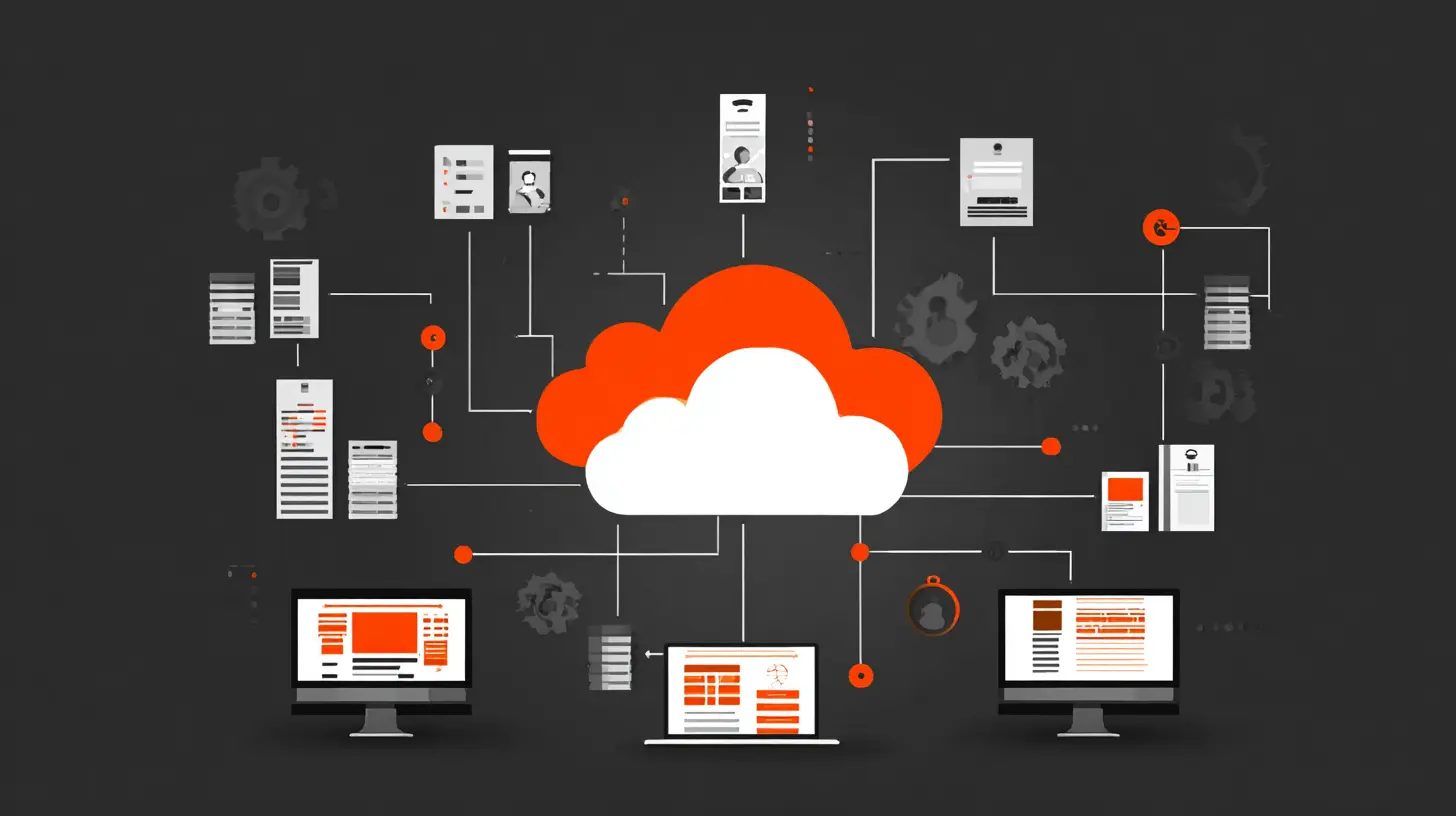
The single most underrated feature of modern SaaS tools is their ability to integrate with each other. A standalone project management tool is useful. A project management tool that automatically creates tasks from customer support tickets, syncs deadlines with your calendar, and posts updates to your team chat is transformative.This is where the "platform" aspect of SaaS becomes critical. The best tools are not islands. They have open APIs, webhooks, and native integrations with the other tools you already use. When your CRM talks to your project tracker, and your project tracker talks to your communication hub, and your communication hub talks to your document repository, you create a nervous system for your organization. Information flows automatically, and nobody has to manually copy data from one system to another.
The trade-off here is complexity. Every integration is a point of failure. When something breaks, you have to figure out which tool is causing the problem and who owns the fix. Many teams fall into the trap of over-integrating, connecting tools that should not be connected just because they can be. The result is a tangled web of automated workflows that nobody fully understands. A good rule of thumb is to integrate only when the integration saves more time than it costs to maintain. If you are spending more time fixing the automation than you would have spent doing the task manually, you have made a mistake.
The Hidden Costs: Subscription Fatigue and Data Lock-In
The subscription pricing model is both the greatest strength and the greatest weakness of SaaS. On the surface, it looks affordable. Ten dollars per user per month for a project management tool, fifteen dollars for a communication platform, twenty dollars for a document suite. But when you add up all the tools a modern team uses, the cost is staggering. A team of fifty people can easily spend five thousand dollars a month on software subscriptions, and that is before you count the enterprise tiers, the add-ons, and the per-seat fees for features you did not even know you needed.Subscription fatigue is real. It happens when you have so many recurring charges that you stop paying attention to them. The solution is to conduct a regular audit of your SaaS stack. Every quarter, list every tool you are paying for, how many people actually use it, and what it would cost to cancel it. You will be surprised at how many licenses are sitting unused. Most SaaS providers count on this. They know that teams sign up, use the tool for a month, and then forget to cancel the licenses for people who left the company or stopped using the product.
The bigger and more dangerous cost is data lock-in. When all your documents, project histories, and customer records live inside a single SaaS platform, you are at the mercy of that provider. If they raise prices, you have to pay. If they change the interface in a way you hate, you have to adapt. If they go out of business, you have to scramble to export your data before the servers go dark.
This is not a theoretical concern. It has happened many times, and it will happen again. The best defense is to choose tools that make it easy to export your data in standard formats. A tool that lets you download your documents as PDFs or your project data as CSV files is a tool that respects your freedom. A tool that only lets you export in its own proprietary format is a trap. Before you commit to any SaaS platform, test the export function. If it is difficult or incomplete, walk away.
Security: The Cloud Is Safer Than You Think, But Not Bulletproof
There is a persistent myth that cloud-based tools are less secure than on-premises software. This is usually based on fear rather than fact. The truth is that the major cloud providers invest more in security than almost any individual company could. They have dedicated security teams, around-the-clock monitoring, and compliance certifications that would take years and millions of dollars for a typical business to obtain.For most small and medium-sized businesses, moving to SaaS actually improves security. Your data is encrypted in transit and at rest. Access is controlled by robust authentication systems. You get audit logs and activity tracking. None of this is available when your files are sitting on a shared drive in the office with a password that everyone knows.
However, the cloud is not a magic shield. The biggest security risks in a SaaS environment are not technical. They are human. People share passwords. They leave their laptops unlocked. They fall for phishing emails that trick them into entering their credentials on a fake login page. The provider can protect the platform, but they cannot protect you from your own users.
The best practice is to enable multi-factor authentication on every SaaS tool you use, without exception. This single step blocks the vast majority of account takeover attacks. You should also use a password manager so that people do not reuse the same password across multiple services. And you should train your team to recognize phishing attempts, because the most sophisticated security system in the world cannot stop a user from voluntarily giving away their password.
The Collaboration Stack: What Actually Works
There is no single tool that does everything well. The future of collaboration is not one monolithic platform. It is a stack of specialized tools that work together. The question is what to put in that stack and how to structure it.The foundation of any modern collaboration stack is a communication hub. This is where the daily conversation happens, where quick questions get answered, and where the team feels connected. Slack and Microsoft Teams are the two dominant players here. Slack is generally better for external integrations and a more relaxed, startup-friendly feel. Teams is better if you are already deep in the Microsoft ecosystem and need tight integration with Office 365 and SharePoint. The choice comes down to your existing infrastructure and your team's culture.
The second layer is the document and knowledge base. This is where the actual work lives. Google Workspace is the default for many teams because of its real-time collaboration and generous free tier. Microsoft 365 is the choice for enterprise teams that need advanced spreadsheet features or that are already standardized on Windows. Notion and Confluence are popular for teams that want a wiki-style knowledge base where documentation and project notes live alongside the work itself.
The third layer is project management. This is the most contested space in SaaS, with dozens of serious players. Asana and Monday.com are great for general-purpose project tracking with visual boards and timelines. Jira is the standard for software development teams because of its deep integration with code repositories and its powerful issue-tracking capabilities. Trello is the simplest option, good for small teams that just need a kanban board without a lot of overhead.
The fourth layer is the file storage and synchronization layer. Dropbox, Google Drive, and OneDrive are the main options. The key consideration here is not just storage space but how well the file system integrates with the other tools in your stack. If your project management tool can attach files directly from your cloud drive, that saves a lot of time.
The final layer is the specialized tools that are unique to your industry. A design team needs Figma. A sales team needs a CRM like Salesforce or HubSpot. A customer support team needs Zendesk or Intercom. These tools are not optional. They are the core of the work for the people who use them. The challenge is making sure they integrate cleanly with the rest of the stack.
Common Mistakes Teams Make When Adopting SaaS
The most common mistake is trying to do everything at once. A team decides to go all-in on SaaS, signs up for fifteen different tools in a week, and then spends the next month confused about where to put things and which tool is the source of truth. The result is chaos, and the team eventually reverts to email and spreadsheets out of frustration.The better approach is incremental adoption. Start with one tool that solves a clear problem. Use it until it becomes second nature. Then add the next tool. This slow, deliberate process allows the team to build habits rather than just accumulating apps.
Another mistake is choosing tools based on what looks cool rather than what fits the workflow. A tool can have the most beautiful interface in the world, but if it does not match how your team actually works, it will be abandoned. Before you adopt any new tool, map out your existing workflow. Identify the pain points. Then find a tool that specifically addresses those pain points. Do not adopt a tool just because it is popular or because a competitor uses it.
A third mistake is ignoring the human side of adoption. People resist change, especially when they feel like a new tool is being forced on them. The best way to overcome this resistance is to involve the team in the selection process. Let them try out a few options and give feedback. When people feel like they have a say in the tools they use, they are much more likely to embrace them.
The Role of Artificial Intelligence in Collaboration Tools
Artificial intelligence is already changing the SaaS landscape, and it will continue to do so. The most visible application is in meeting transcription and summarization. Tools like Otter.ai and the built-in transcription features in Zoom and Teams can automatically generate meeting notes, action items, and summaries. This is a huge time saver, but it also changes the nature of meetings. When everyone knows that the meeting is being recorded and transcribed, people tend to be more careful with their words, which can actually improve the quality of discussion.AI is also being used to automate routine tasks within collaboration tools. For example, an AI assistant can automatically sort emails, schedule meetings, or draft responses to common inquiries. This frees up human time for more complex and creative work. The key is to use AI for the boring parts of collaboration, not for the parts that require judgment and empathy.
There is a danger here, though. AI-generated content can be shallow and generic. If you rely too heavily on AI to write your documents or respond to your customers, your communication will start to sound like everyone else's. The best approach is to use AI as a starting point and then inject your own voice and expertise. Let the AI do the heavy lifting of drafting, but always review and edit before sending anything out.
When SaaS Is Not the Right Choice
It would be dishonest to say that cloud-based SaaS is the right answer for every situation. There are cases where on-premises software or even manual processes are better.If you are in a highly regulated industry with strict data residency requirements, you may be forced to keep certain data on your own servers. Healthcare, finance, and government sectors often have rules that prohibit sending patient records or financial data to third-party cloud providers. In these cases, you need a hybrid approach where some tools are cloud-based and others are not.
If you are in an area with poor internet connectivity, cloud-based tools can be frustrating. A team working in a remote location with spotty Wi-Fi will struggle with real-time collaboration. In this case, you need tools that offer robust offline mode, where you can work locally and sync when you reconnect. Most modern SaaS tools have some offline capability, but it is not always seamless.
If your team is very small and your collaboration needs are very simple, you might not need a full SaaS stack at all. A couple of shared documents and a group chat might be enough. Do not over-engineer your workflow just because SaaS tools are available. The best tool is the one that solves your problem without creating new ones.
The Future: More Integration, Less Friction
Looking ahead, the trend is clear. Collaboration tools will become more integrated, more intelligent, and more invisible. The days of switching between ten different apps to get a single piece of work done are numbered. We are moving toward a world where the tools are woven into the fabric of the work itself.The next wave of SaaS will be built around the concept of the "workspace." Instead of having a separate tool for chat, documents, tasks, and files, you will have a single environment where all of these are unified. Notion and Coda are early examples of this trend, and the major players like Google and Microsoft are moving in the same direction.
This convergence is good for users, but it also creates a new risk. When everything lives in one platform, you become even more dependent on that platform. The lock-in problem gets worse, not better. The answer is to demand open standards and easy data portability. If a platform does not let you take your data with you, do not use it.
The future of collaboration is not about any single tool. It is about the principles that the best tools embody: real-time access, seamless integration, and the freedom to work from anywhere. The teams that understand these principles and apply them thoughtfully will have a massive advantage over those that simply buy the latest software and hope for the best.
Practical Recommendations for Making the Switch
If you are ready to move your team to cloud-based SaaS tools, start with a clear plan. Do not just sign up for a bunch of apps. Follow these steps.First, audit your current workflow. Write down every task that involves collaboration, from drafting a document to tracking a project to communicating with a client. Identify the bottlenecks and the pain points. This audit will tell you which problems you need to solve first.
Second, choose one problem to solve first. It is usually best to start with communication, because everything else depends on it. Get your team onto a single chat platform and make it the default place for all internal conversation. Do not allow people to use email for internal communication anymore. This one change will have an immediate impact.
Third, move your documents to a cloud-based system. Migrate your shared drive to Google Drive or OneDrive. Set up a clear folder structure and naming convention. Teach your team to work on documents in the cloud rather than downloading them and working locally. This will take some time, but it is essential.
Fourth, introduce a project management tool. Start with a simple one and use it consistently. Put all your projects and tasks into the tool and make it the single source of truth for what is being worked on. Do not let people keep their own private to-do lists. Everything goes into the shared system.
Finally, review your stack regularly. Every quarter, look at what you are using and what you are paying for. Cancel tools that are not being used. Upgrade tools that are too limited. The goal is not to have the most tools. The goal is to have the right tools.
The shift to cloud-based SaaS is not a one-time event. It is an ongoing process of improvement. The teams that treat it that way will be the ones that succeed.
all images in this post were generated using AI tools
Category:
Saas ToolsAuthor:

John Peterson
Discussion
rate this article
1 comments
Finn McMahon
Cloud-based SaaS tools: the only place where teamwork can happen without everyone yelling, "Can you hear me now?" and without the awkwardness of shared snacks in the office.
August 8, 2026 at 3:09 AM
John Peterson
Absolutely! Cloud-based tools make collaboration seamless and snack-free. It's all about smooth communication and productivity.